
Movies & shows
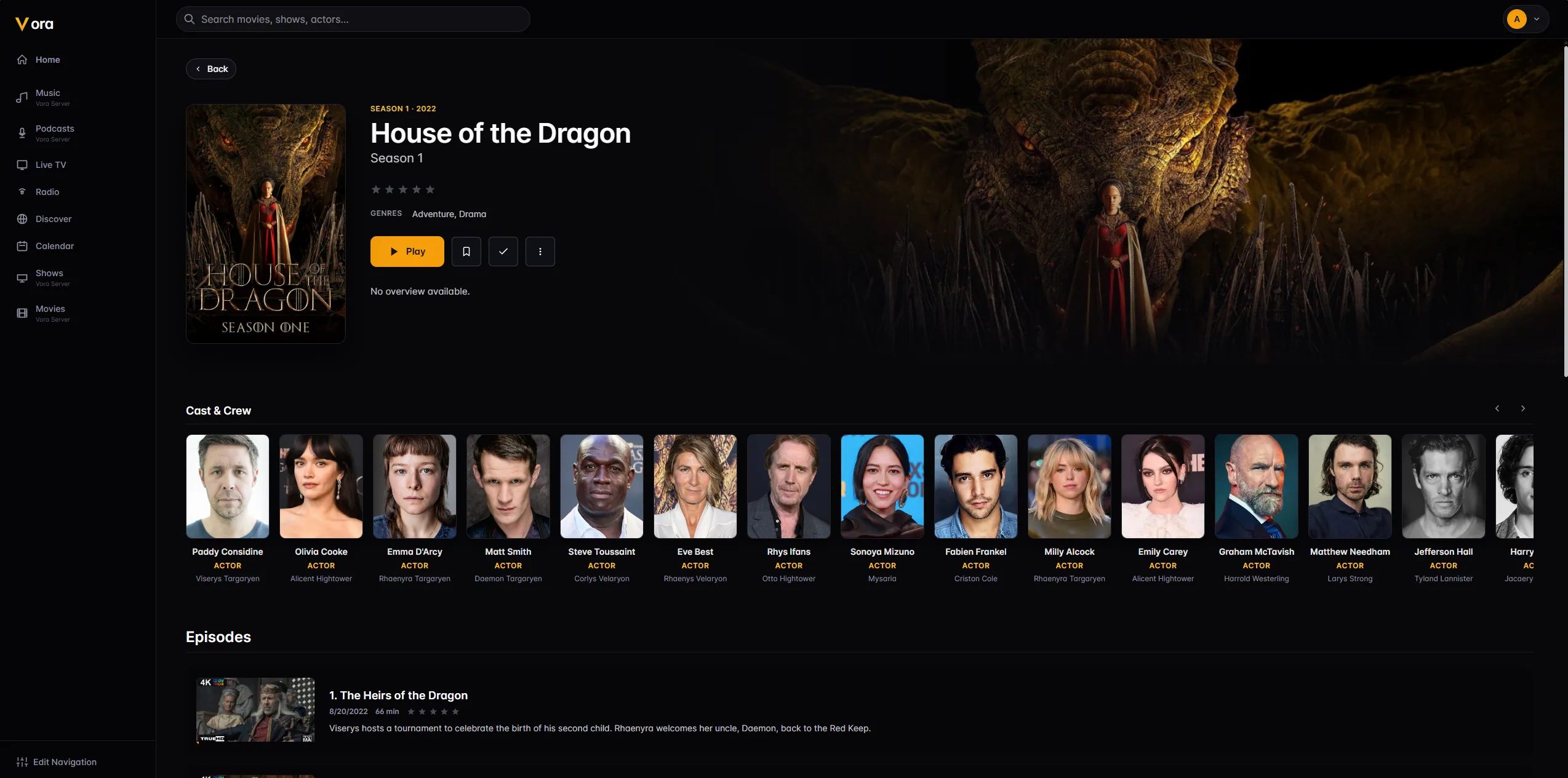
Posters badged with resolution, HDR and audio format, ratings from TMDB and Rotten Tomatoes, full cast and crew, and episodes with their own stills and summaries.
Vora turns your media collection into something that feels like a streaming service — cinematic artwork, cast and crew, synced lyrics, a real live-TV guide, and profiles for everyone in the house. It runs on the web, on Windows and Linux, on Android phones, on your television, and on the dash of your car.
Vora runs every day in real homes and gets regular updates. Keep your backups, and here is what is coming next.
Every app signs in to a Vora server — run your own, or use one shared with you. Any browser works too.
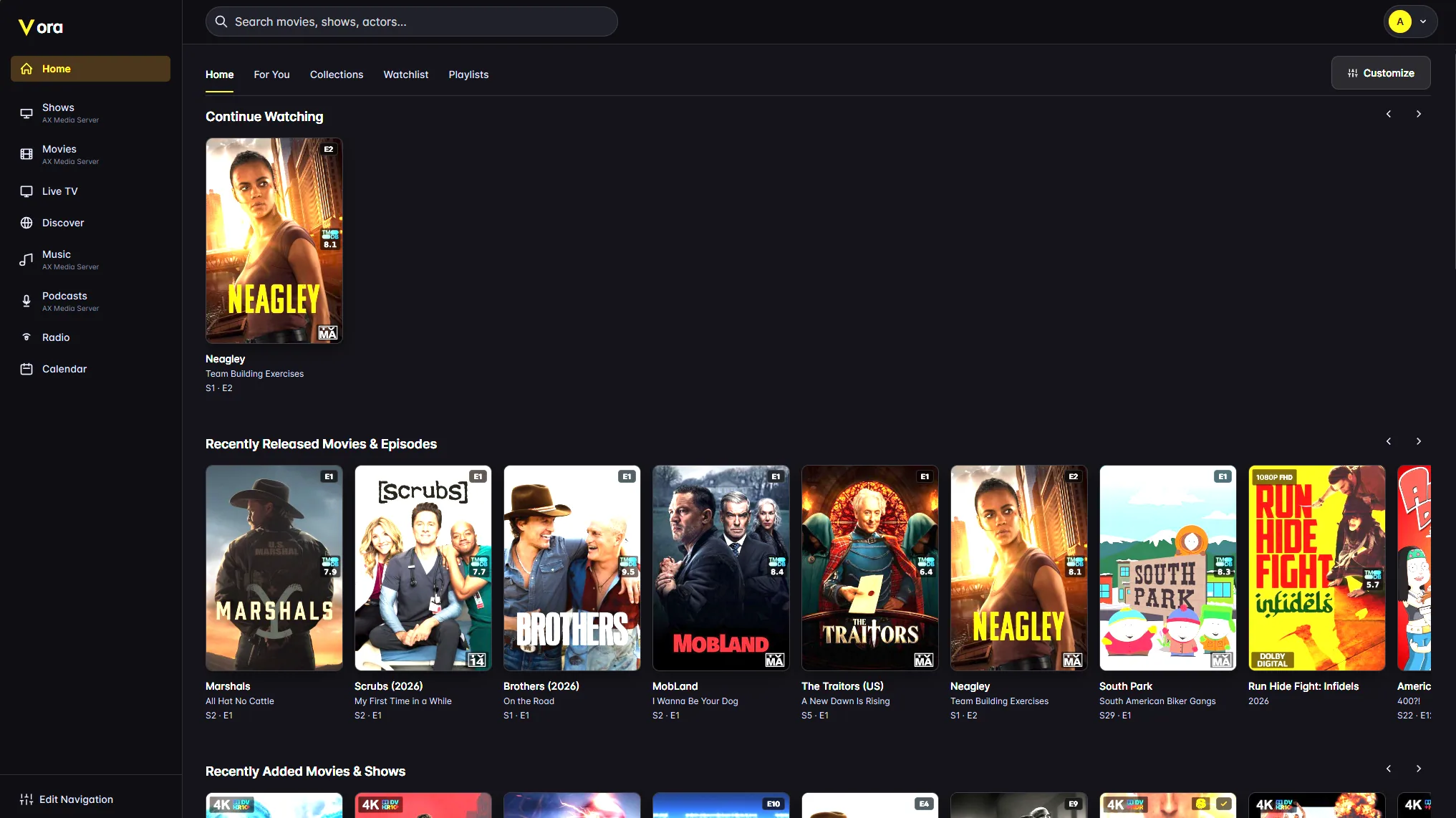
Film night, a podcast on the commute, the ball game, an album while you cook — Vora does not hand you off to a different app for each one.
Posters badged with resolution, HDR and audio format, ratings from TMDB and Rotten Tomatoes, full cast and crew, and episodes with their own stills and summaries.
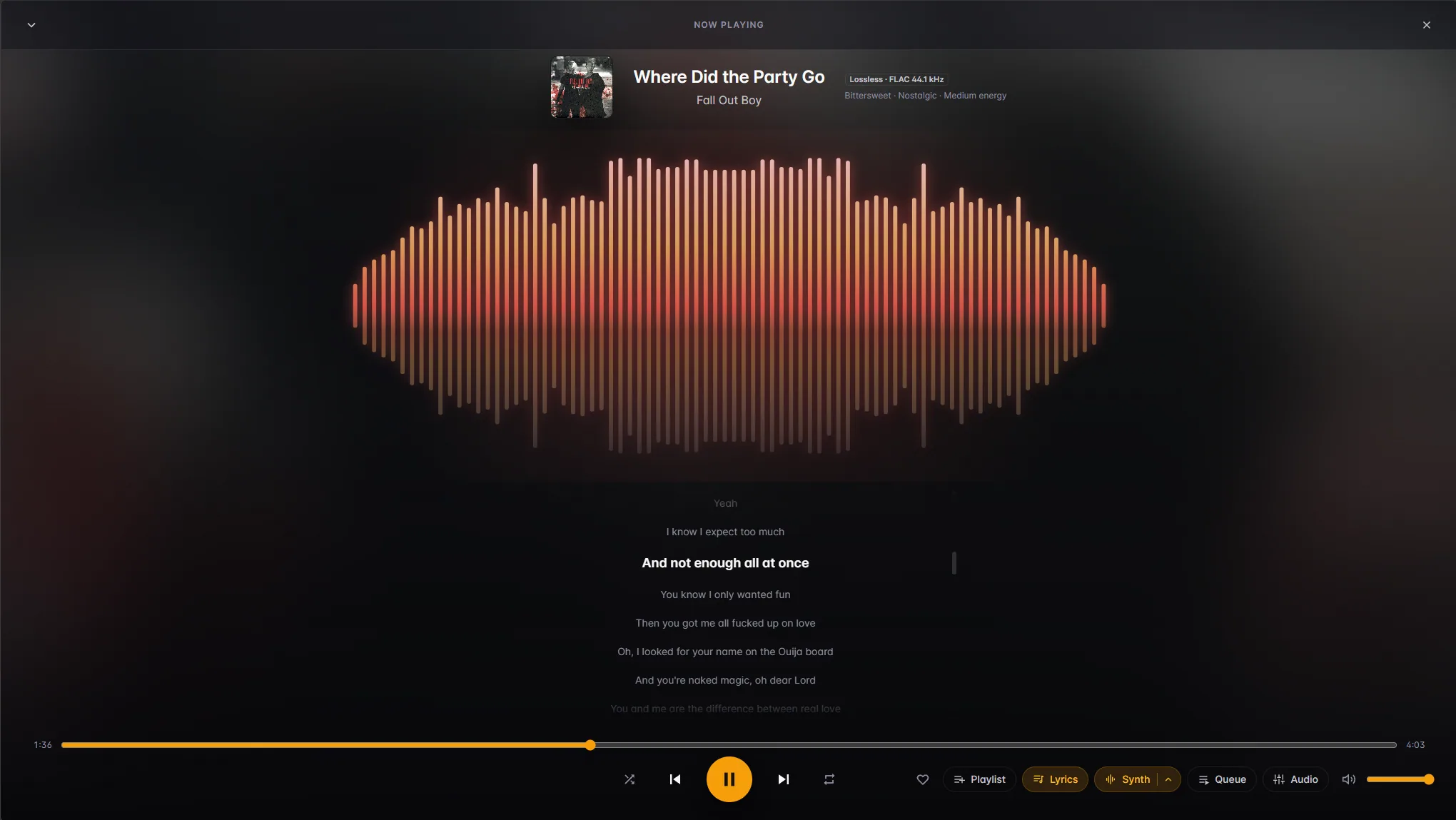
Artists, albums and playlists with a full-screen player, time-synced lyrics, a visualizer, a visible queue, crossfade, an equalizer, and AI playlists drawn only from your own library.
Search, subscribe, and pick up each episode where you left it — on whichever device is nearest.
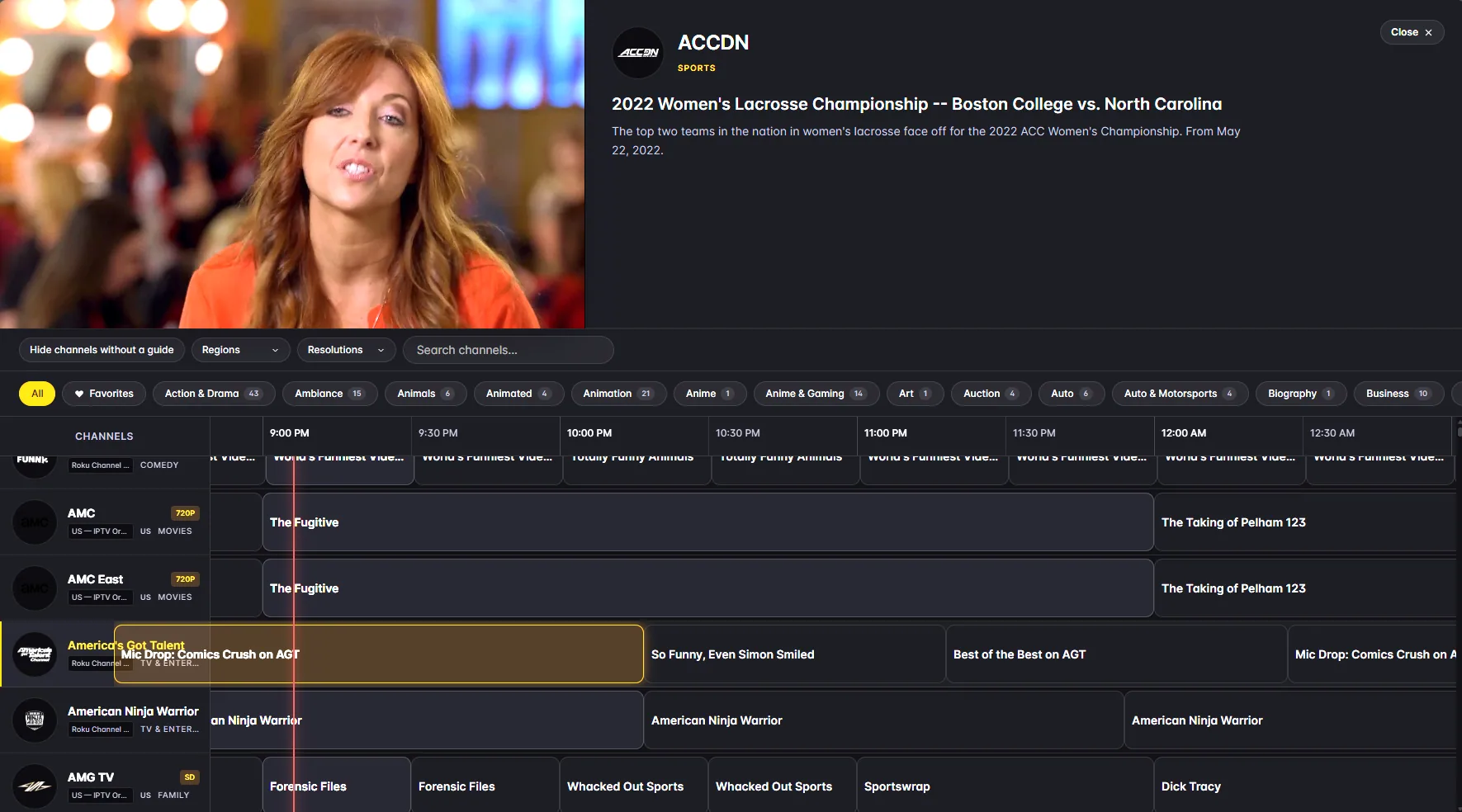
A real channel guide with categories, favourites, a live preview window, and recording from inside the player.
Thousands of stations, your favourites pinned, and skip-to-next-station from the player or the steering wheel.
Discover pulls from TMDB and friends, For You surfaces the good things already sitting unwatched in your library, and a calendar tells you what lands next.
Artwork fills the page, the cast is a scrollable rail with character names, and every episode carries its own still, air date and summary. Play, add to watchlist, or mark it watched without leaving the page.
Filter by category, region or resolution, star the channels you actually watch, and preview what is on without leaving the grid. Start recording an episode or a whole series from the player.
The full-screen player pulls its colour from the album art and scrolls lyrics line by line as the track plays, with a visualizer that moves to the music above them if you want one. Queue, shuffle, repeat, like, and per-device audio settings are one tap away.
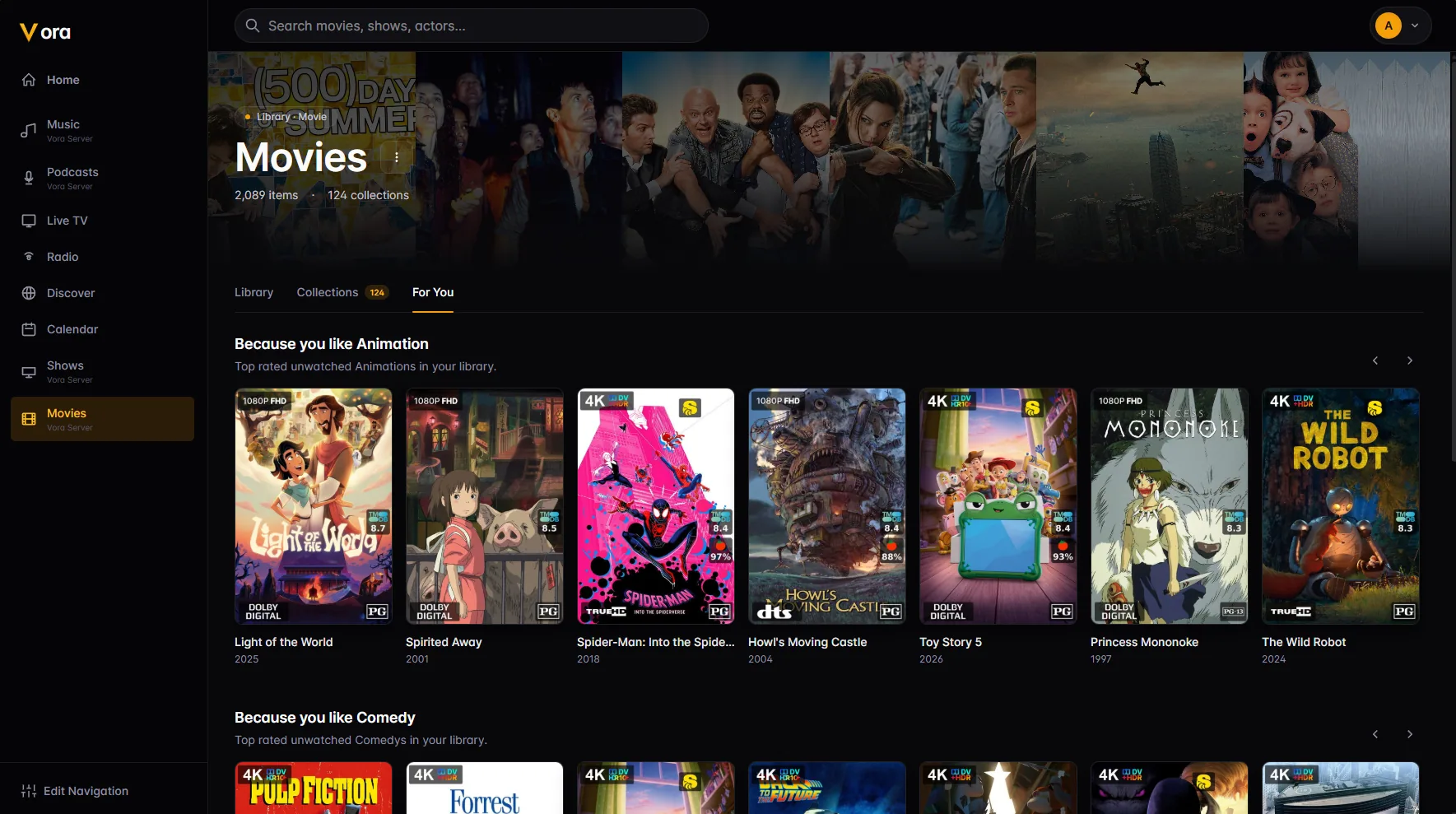
Rows like “Because you like Animation” dig out the highest-rated things in your own library that you have never started — so a big collection stops being a wall of posters you scroll past.
The reason a self-hosted library feels bad is usually not the library — it is the buffering, the audio that will not decode, the 4K file that melts the server. Vora spends most of its engineering effort here.
Your device already speaks the container, the video codec and the audio codec. The file is handed over untouched and the server barely wakes up.
The codecs are fine but the container is not. Vora repackages the stream into MP4 without re-encoding a single frame — cheap, fast, lossless.
Only when something genuinely cannot be played — an unsupported codec, a burned-in subtitle, a bitrate your connection will not carry — and then on the GPU where one is available.
On every play, the client probes its own hardware — which video and audio codecs actually decode, which containers it accepts, how many audio channels are available, whether the display can render HDR10, HLG or Dolby Vision, whether the decoder handles 10-bit — and sends that with the request. On Android TV it also detects when an AV receiver can bitstream AC3, E-AC3 or DTS, so surround is passed through instead of being flattened to stereo.
The server then scores every combination of file and audio track it has for that title and picks the cheapest one that will actually play. A 4K remux with a 7.1 track and a 1080p copy with stereo are weighed against each other rather than guessed at — and it can copy the video while transcoding only the audio, instead of re-encoding the whole thing because one track was wrong.
Every decision is written down. The admin Watch History shows what each session chose, why, and what the runners-up scored — so “why did that transcode?” has an answer instead of a shrug.
One Android app reshapes itself for a phone, a television and a car. Nothing is a stretched tablet layout, and nothing important is missing from the small screen. It is out on Fire TV and in beta on Android, the desktop app covers Windows and Linux, and Roku and Apple TV are next.
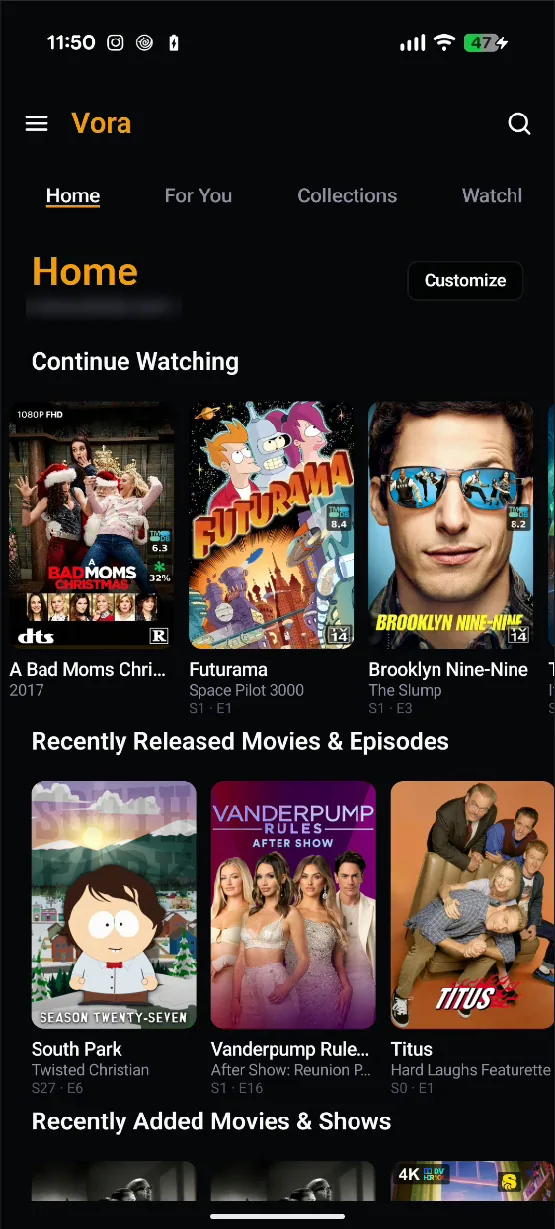
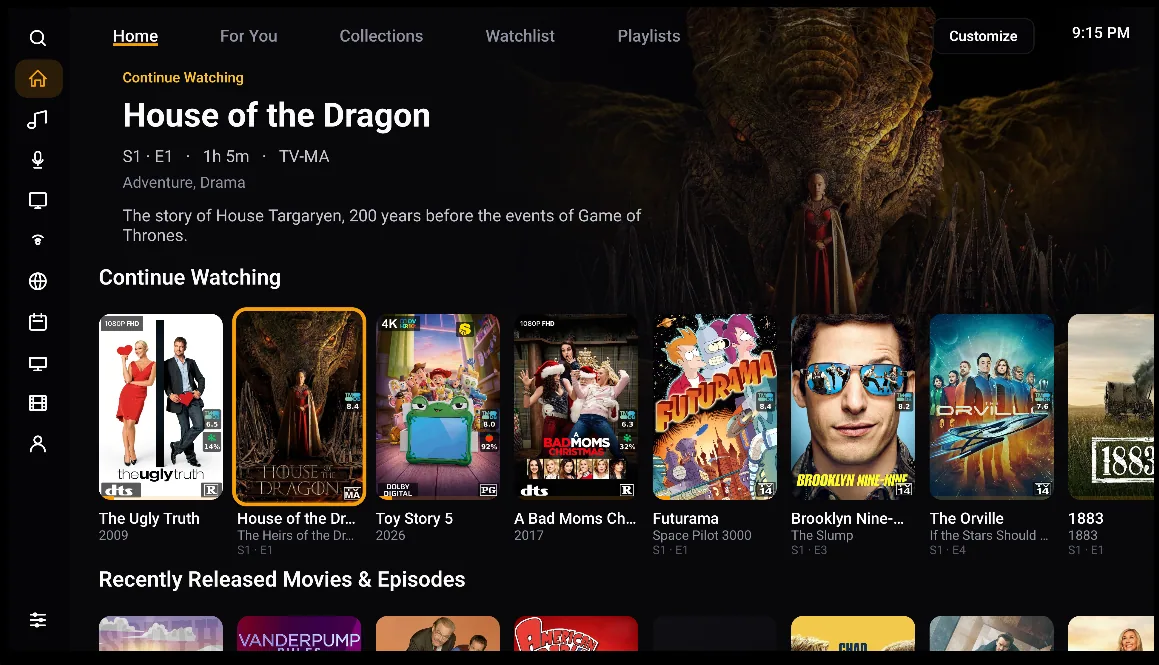
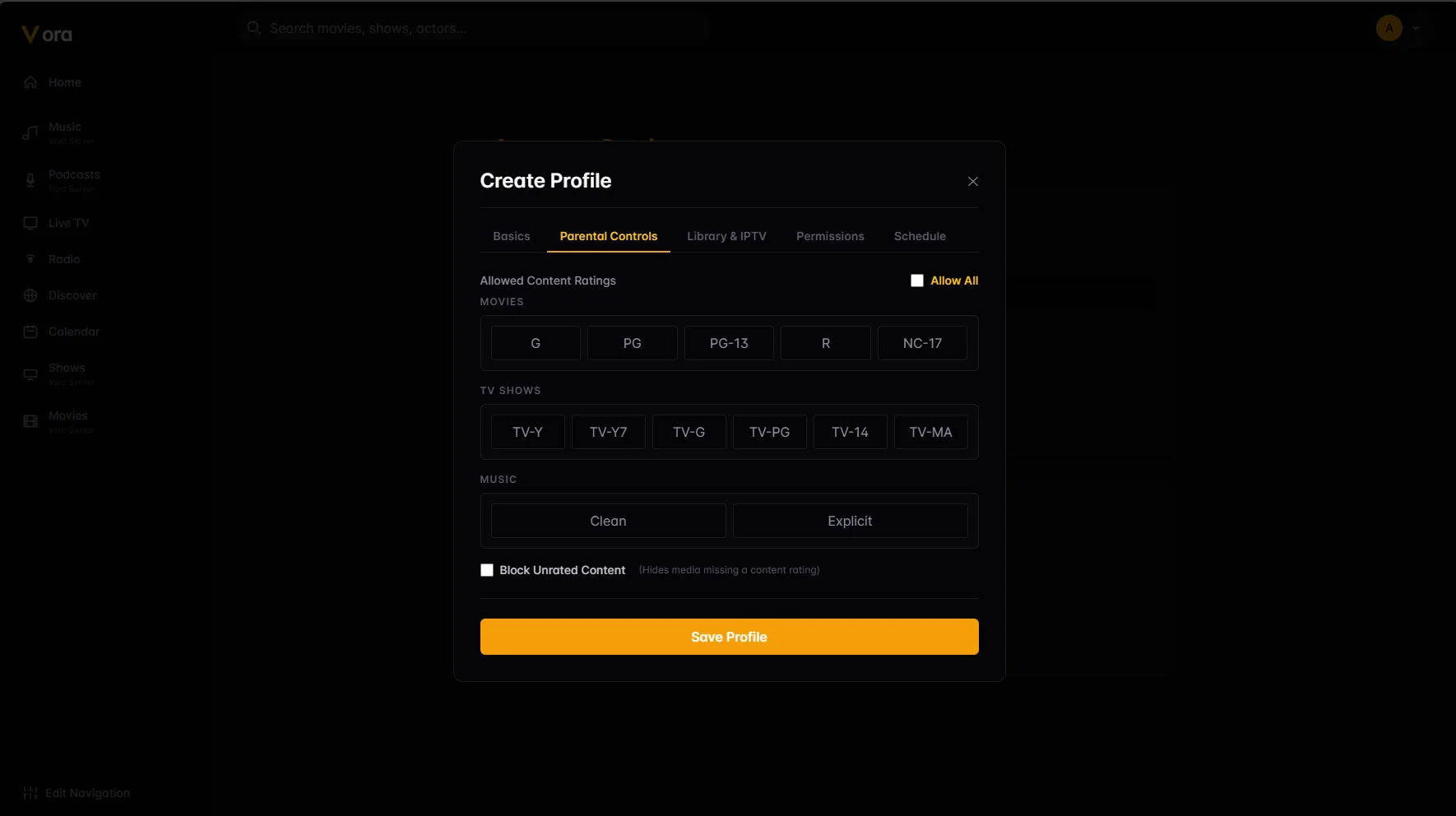
Every profile gets its own watch state, recommendations and layout. Parental controls set allowed ratings per media type, hide unrated titles, and limit which libraries and channels a profile can reach — with scheduled access windows for the ones who would otherwise watch until 2am.
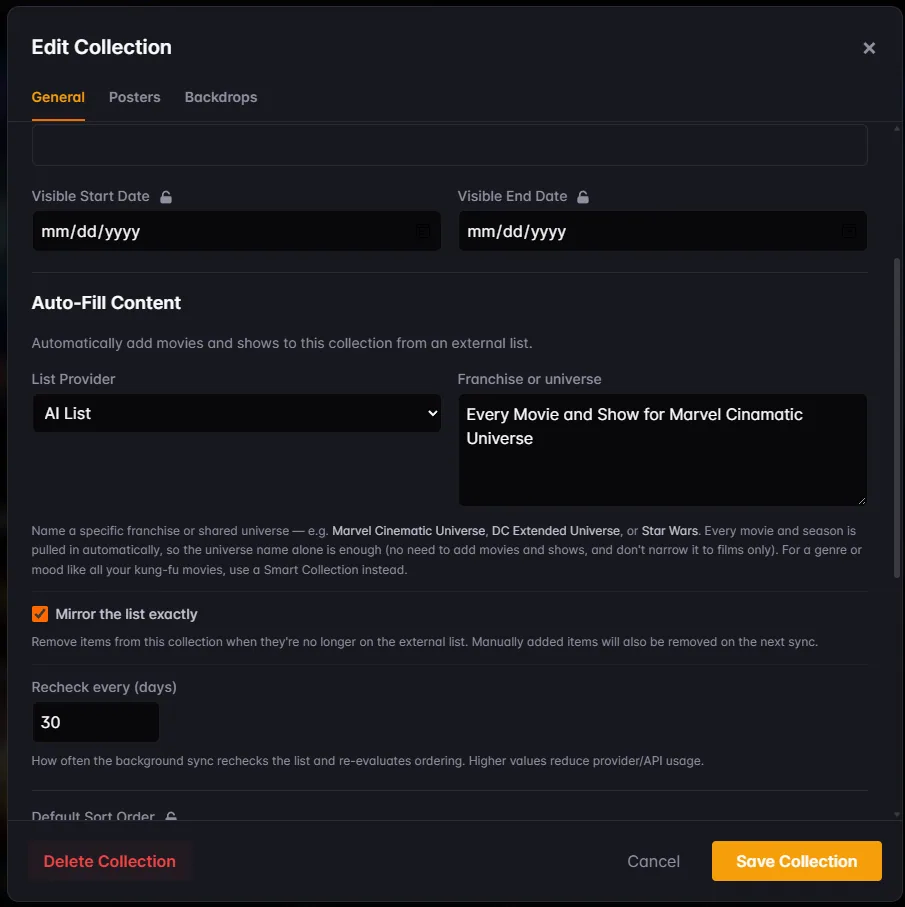
Type “Every movie and show for Marvel Cinematic Universe” and Vora assembles it — every film, every season — then keeps it current and can sort it into in-universe chronological order rather than release order. Optional, uses your own OpenAI key, and every token it spends is itemised.
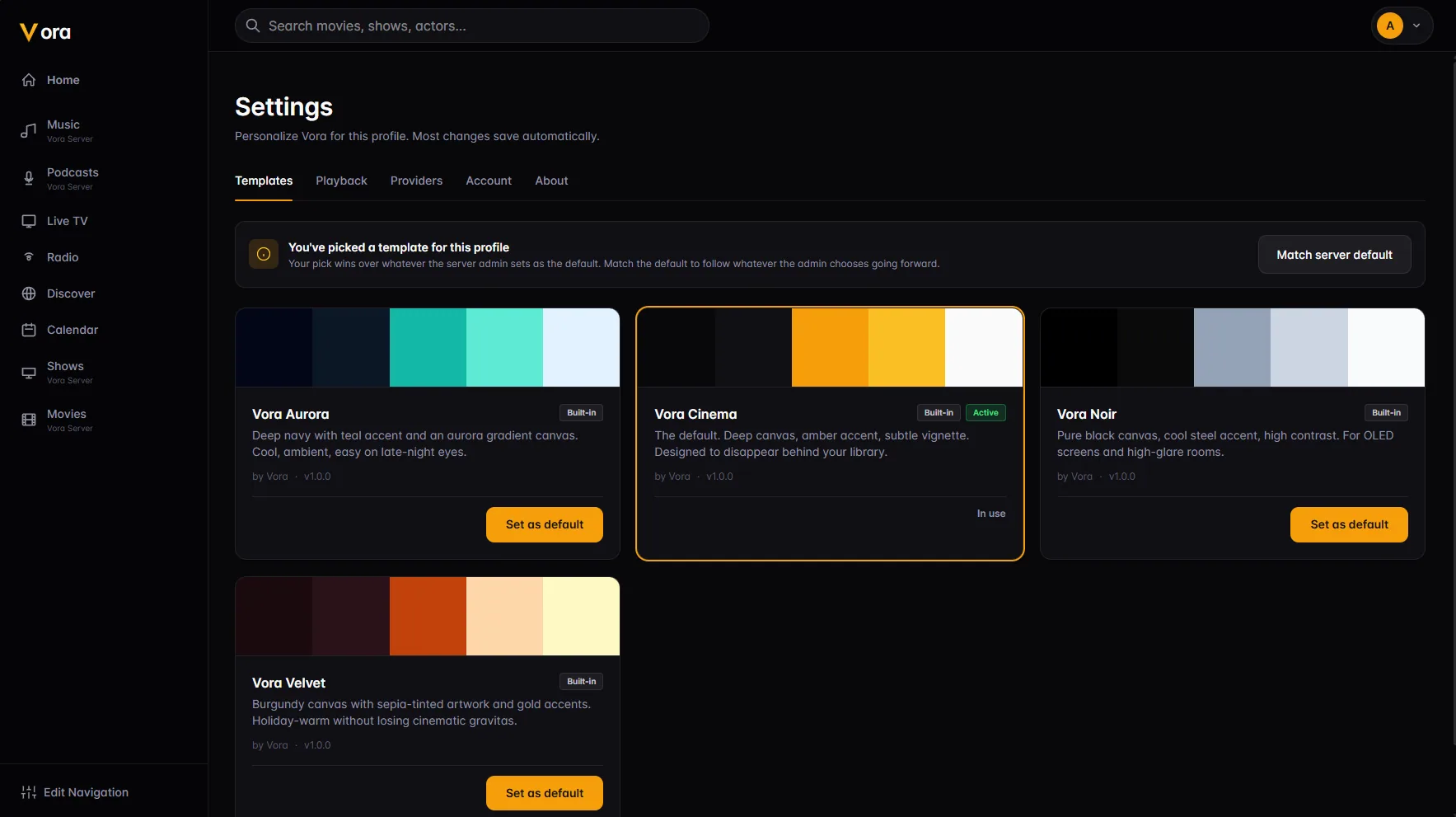
Choose which rows appear on Home and in what order, reorder the navigation, and switch the whole client to a different visual template — colours, type and all — per profile.
The full tour — library and playback, discovery, live TV and DVR, music and podcasts, collections, playlists, profiles and themes.
Explore the features →The administration side — libraries and scanning, plugins, IPTV, transcoding, backups, a Plex importer, and what it takes to deploy.
Server & administration →Vora is one person's project, with its server and web app released under the AGPL-3.0. There is no paid tier, no account to make and nothing held back — if it saves you a subscription, that is the point. If you would like to put something toward the time it takes, that is genuinely appreciated and never expected.